ERROR: 21661
Description
Phone numbers must be SMS-capable. Visit the phone numbers page of your account to view a list of phone numbers that you own and to determine whether they are SMS-capable.
Possible Causes
The number you are using is not capable of sending messages.
Possible Solutions
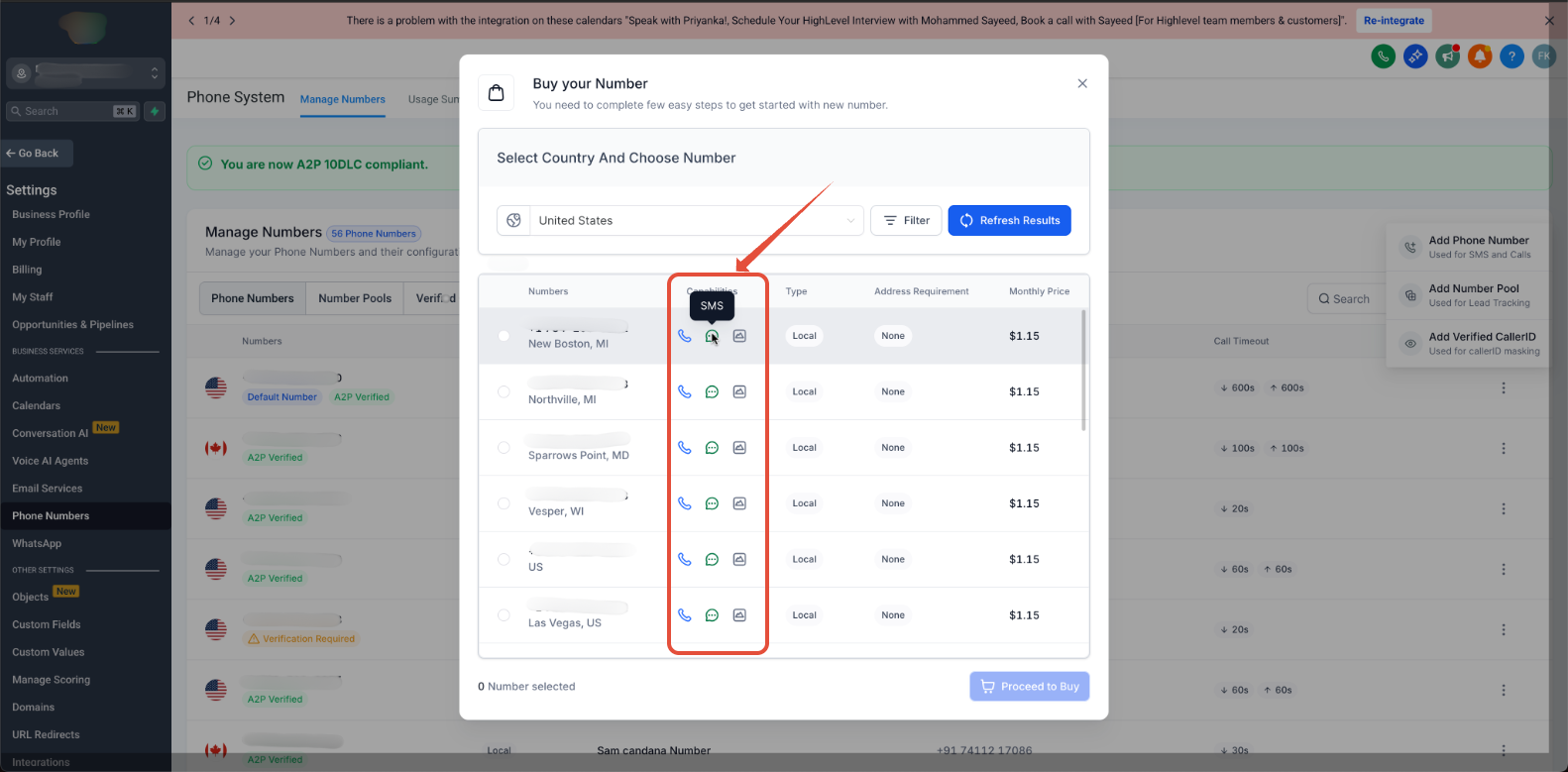
- Check that you are using a Lead Connector phone number with SMS capabilities. You can see your purchased phone numbers and their capabilities in Settings > Phone Numbers > Manage Number > +Add Number.
- Purchase an SMS capable number from Settings > Phone Numbers > Manage Number > +Add Number.
Was this article helpful?
That’s Great!
Thank you for your feedback
Sorry! We couldn't be helpful
Thank you for your feedback
Feedback sent
We appreciate your effort and will try to fix the article