Understanding App Connections
Currently, the Marketplace supports account-level app connections, meaning an app installation is shared across users within the same account. Multiple users can connect same account with external platforms.
Important: If any user uninstalls an app from a sub-account, the app will be disconnected for all users within that sub-account, regardless of who originally installed or connected it.
Steps to Uninstall an App
Navigate to the App Marketplace from your Agency or Sub-account.
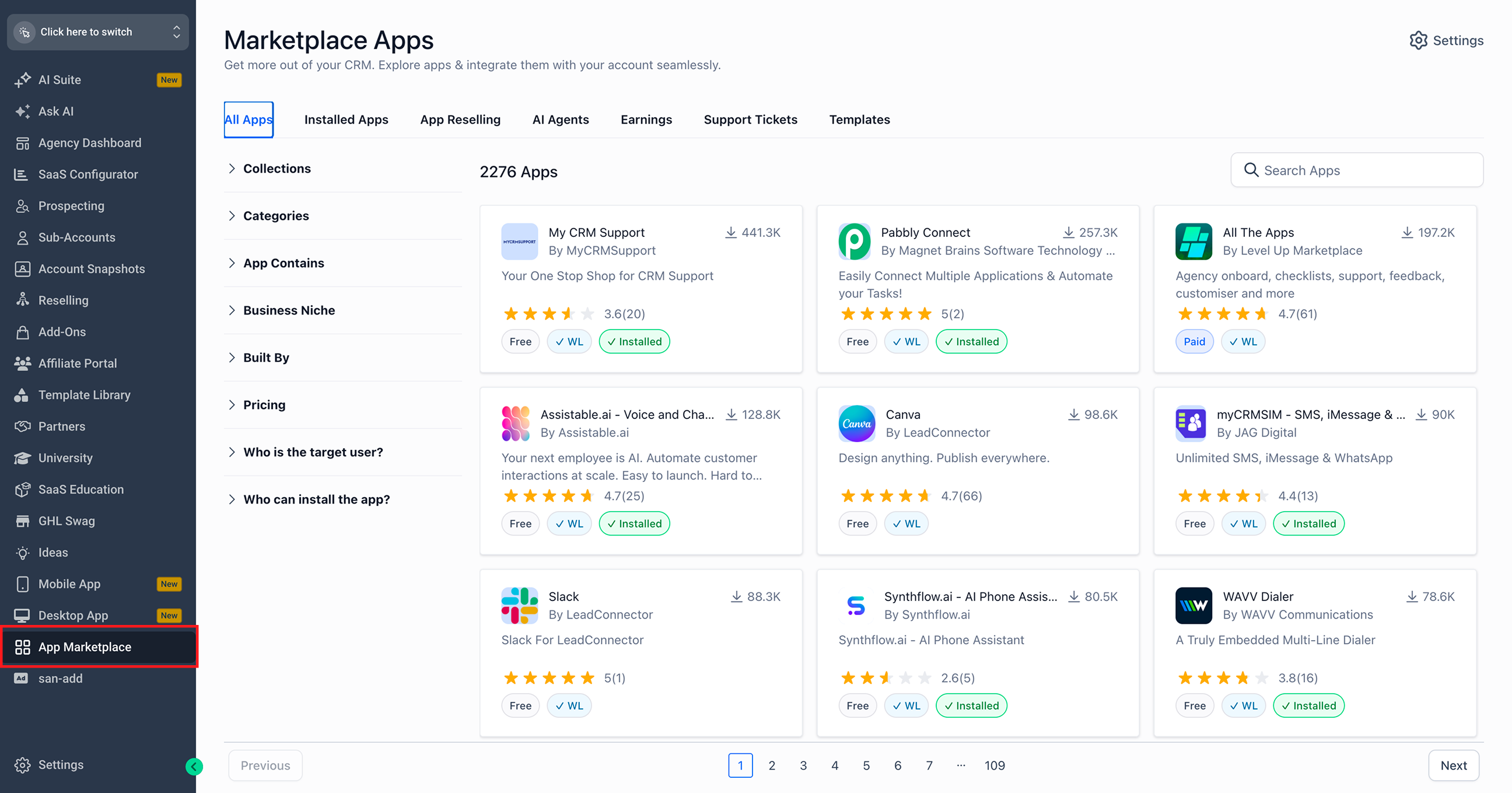
Click the Installed Apps tab.
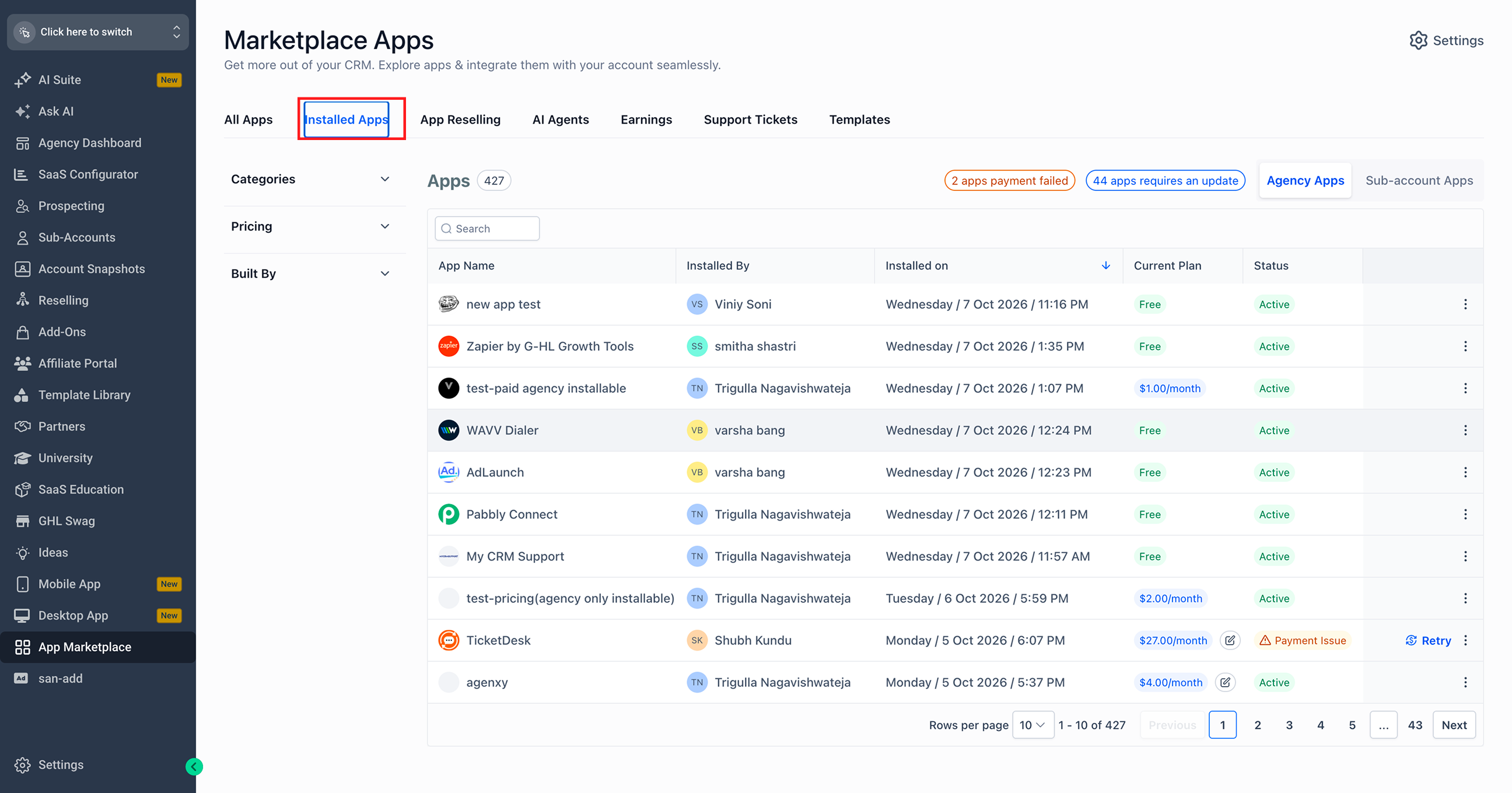
Switch between Agency Apps and Sub-account Apps, as applicable.
Search for the app you want to uninstall.
Click the three-dot menu (⋮) next to the app.
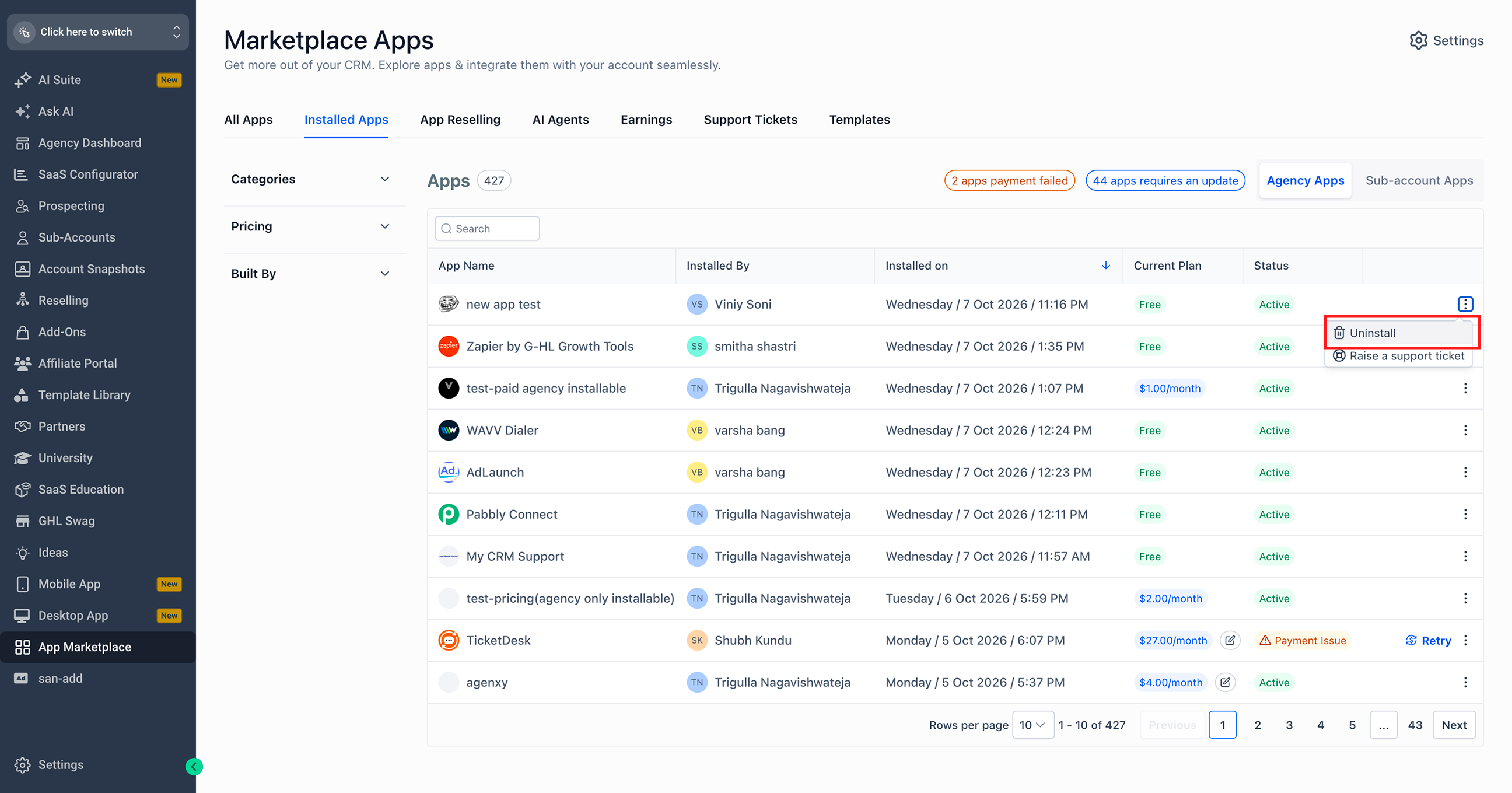
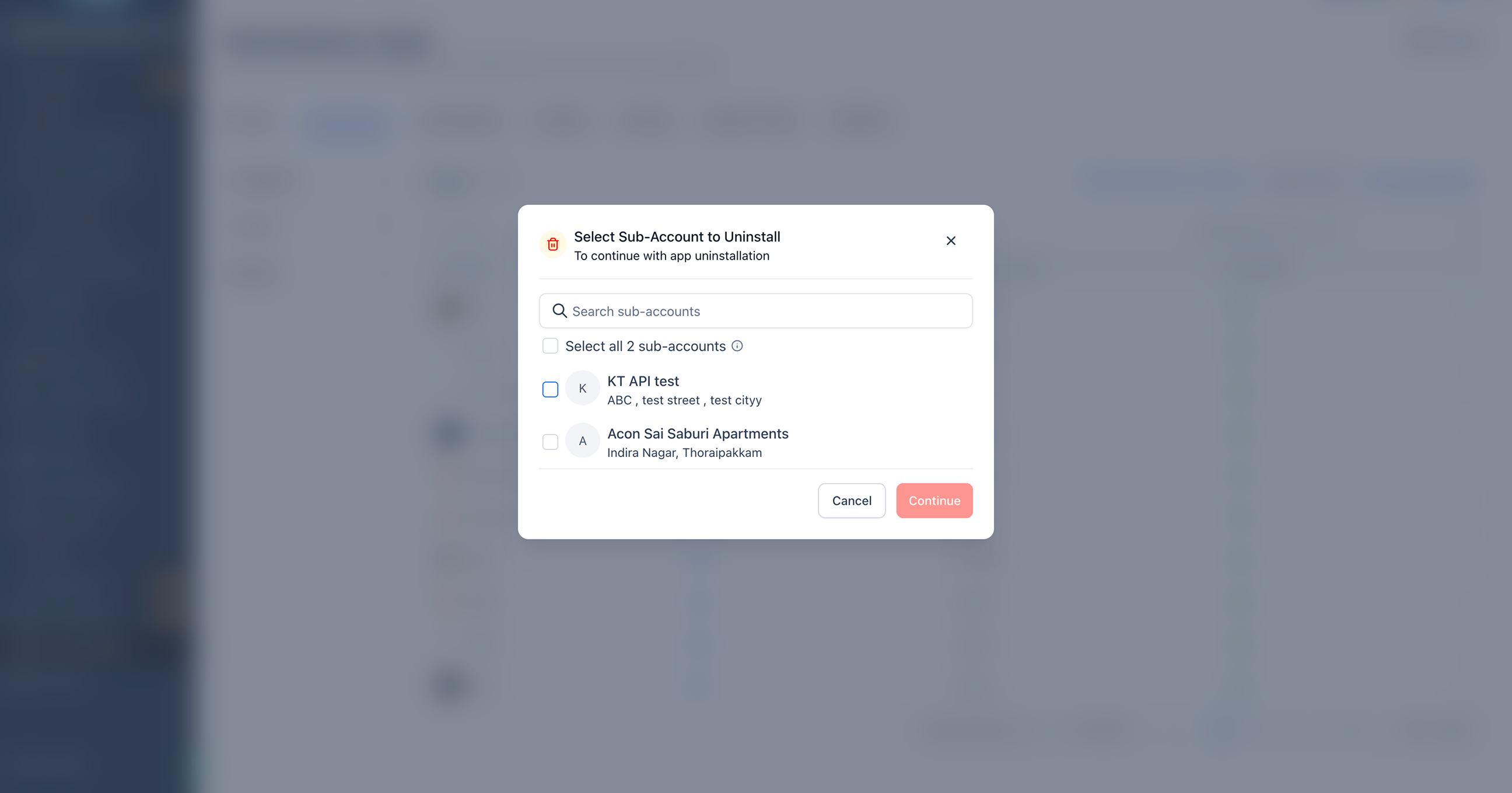
Select Uninstall and sub-accounts to uninstall and continue.
Note: Uninstalling an app removes its connection at the account level, not just for the user performing the action. Ensure the app is no longer required by other users before proceeding.